Setting your Salesforce CTI Panel Width and Height
Updated on April 6, 2022
Access the Salesforce "Call Centers" menu within the Setup view, select the "PhoneIQ OpenCTI" name, and click "edit." On "Softphone Height" and "Softphone Width" input:
Width: 752
Height: 570
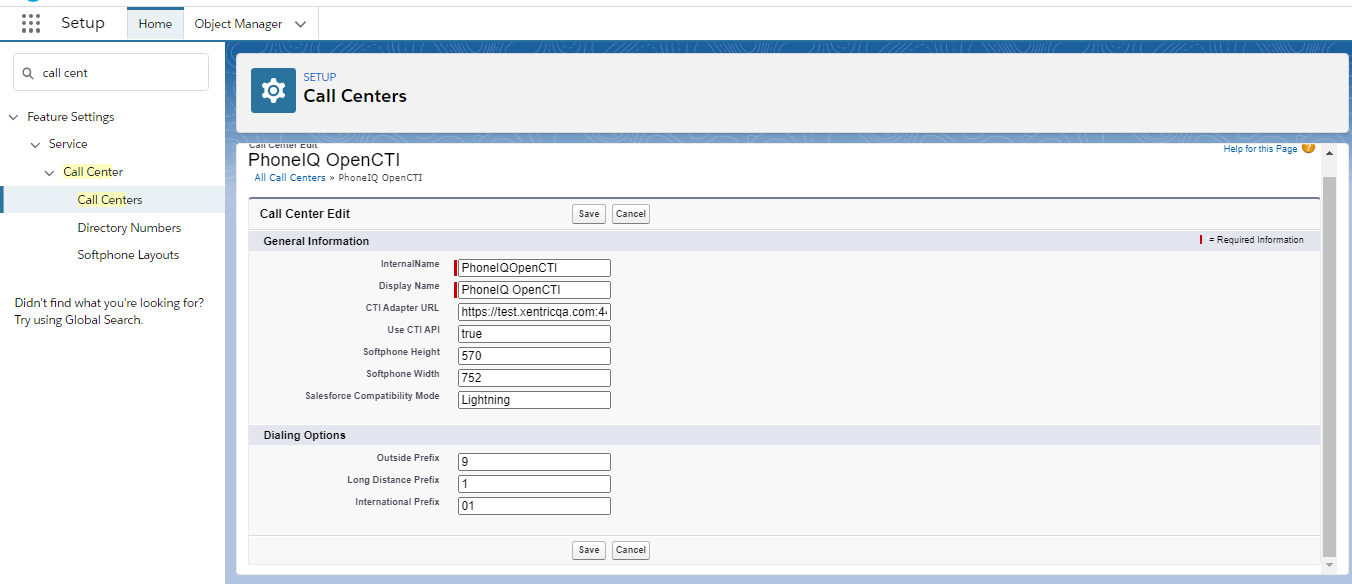
These are the recommended parameters for a correct display of the UI. If you would like to resize the CTI, the best option is to change the browser zoom:
On the browser tab, click the control key (command on Mac) and use the mouse wheel or the '+' and '-' keys to change the zoom.