PhoneIQ - Call Details
View call details about a phone call made with PhoneIQ
Updated on April 6, 2022
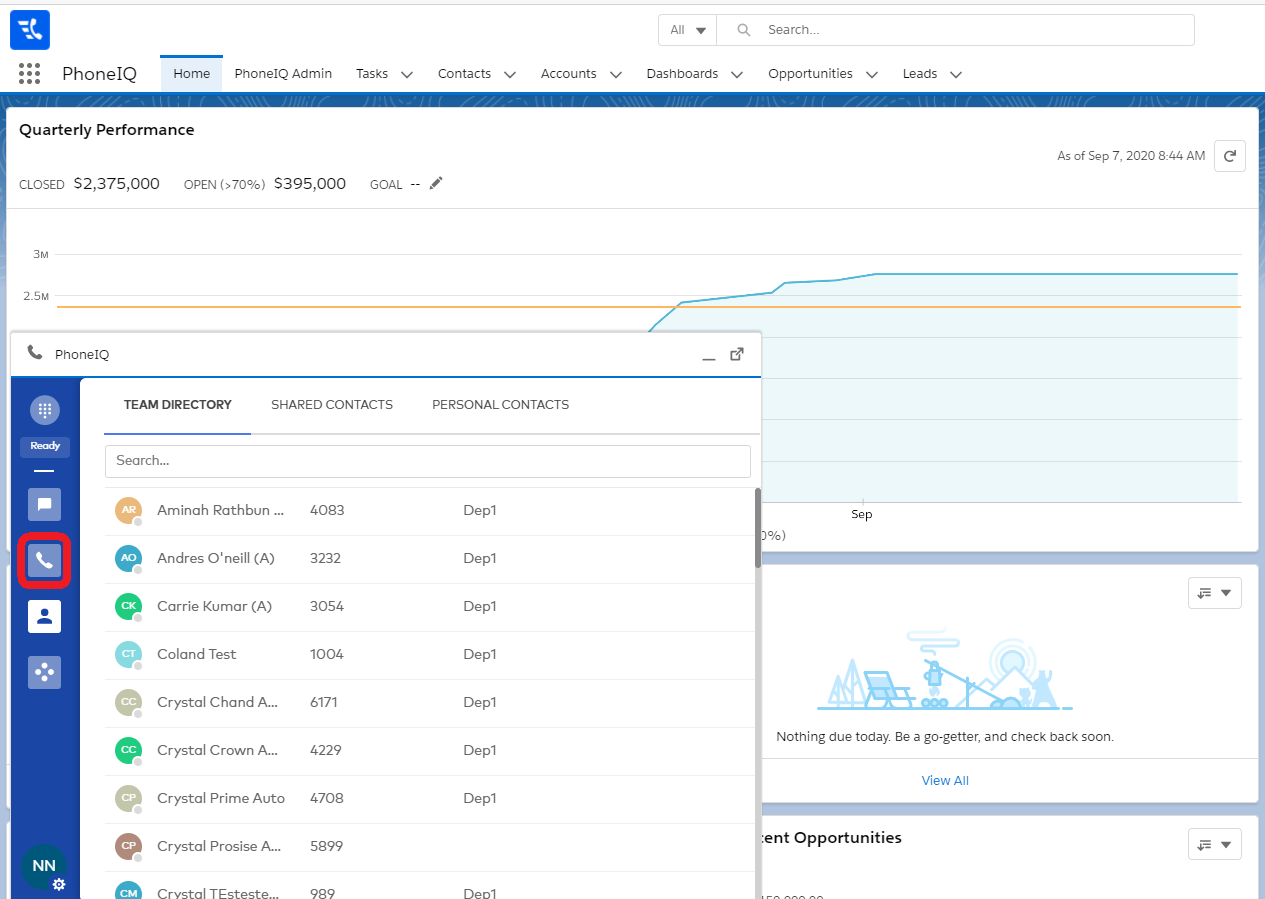
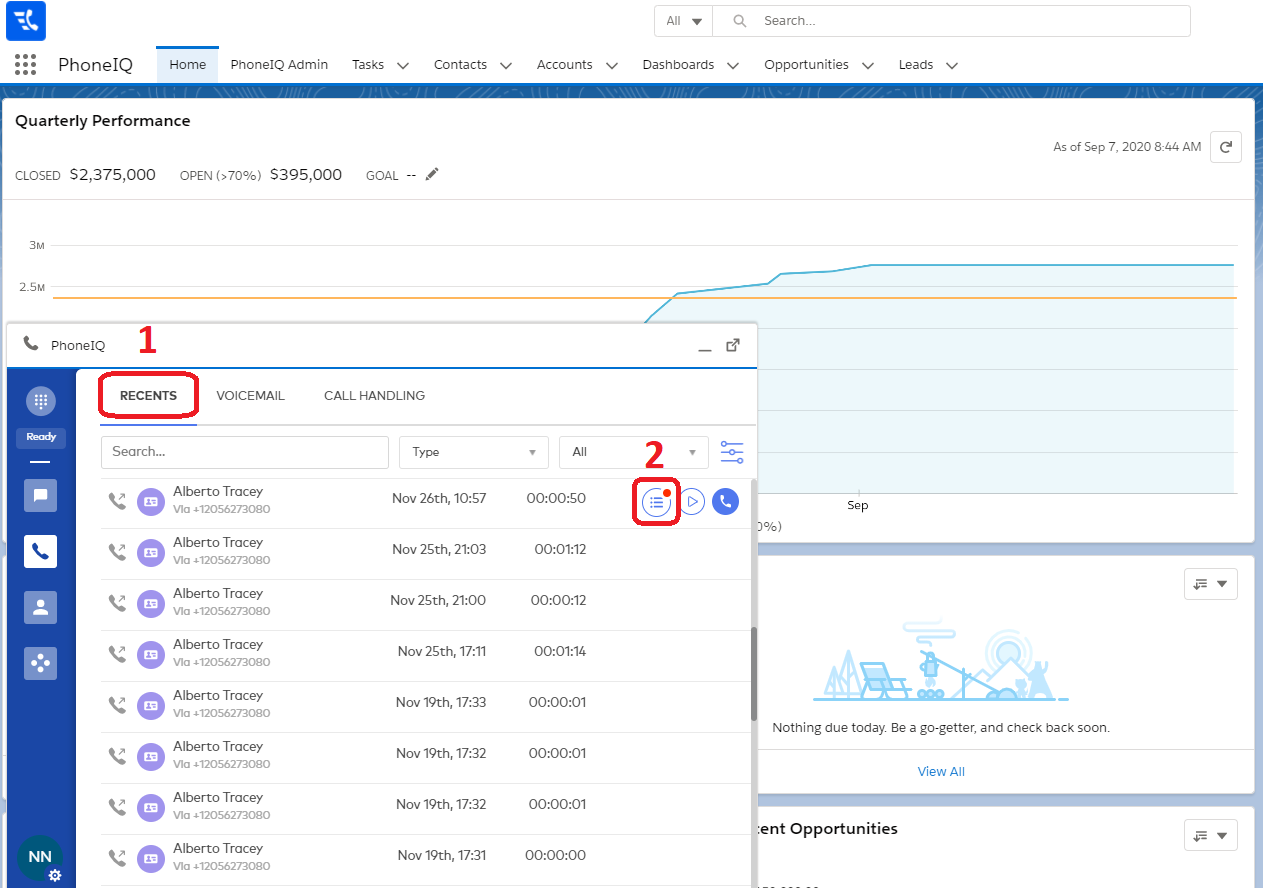
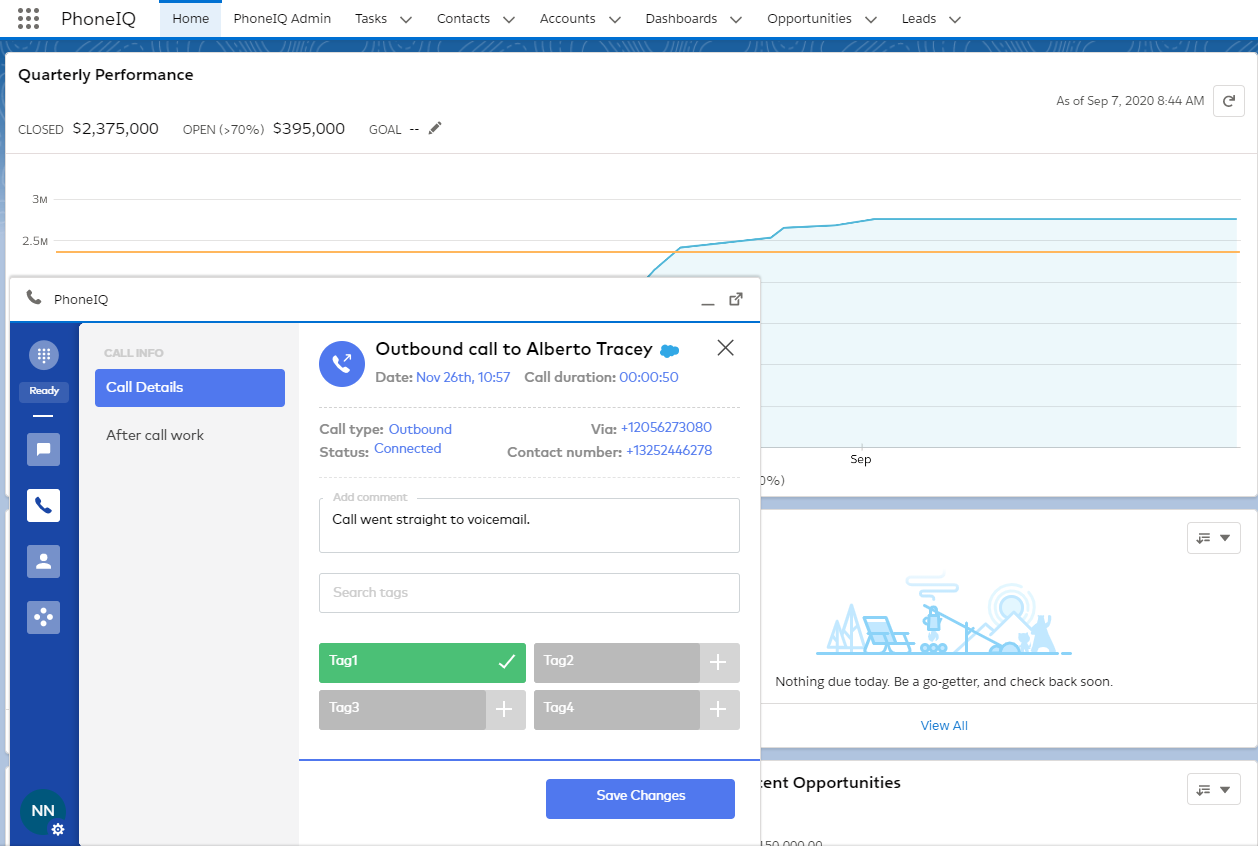
After you completed a call and added a comment, tags, and any other detail you wanted, you can view these details in the 'Phone' view, under the tab 'Recents,' as the screenshots show below.
1: Open PhoneIQ CTI and navigate to the 'Phone' view; there, go to 'Recents' and then hover over the call which details you want to see and click on the button shown below.
2: A new view will open showing the details you entered about that call, as well as allowing you to change any information you want to.
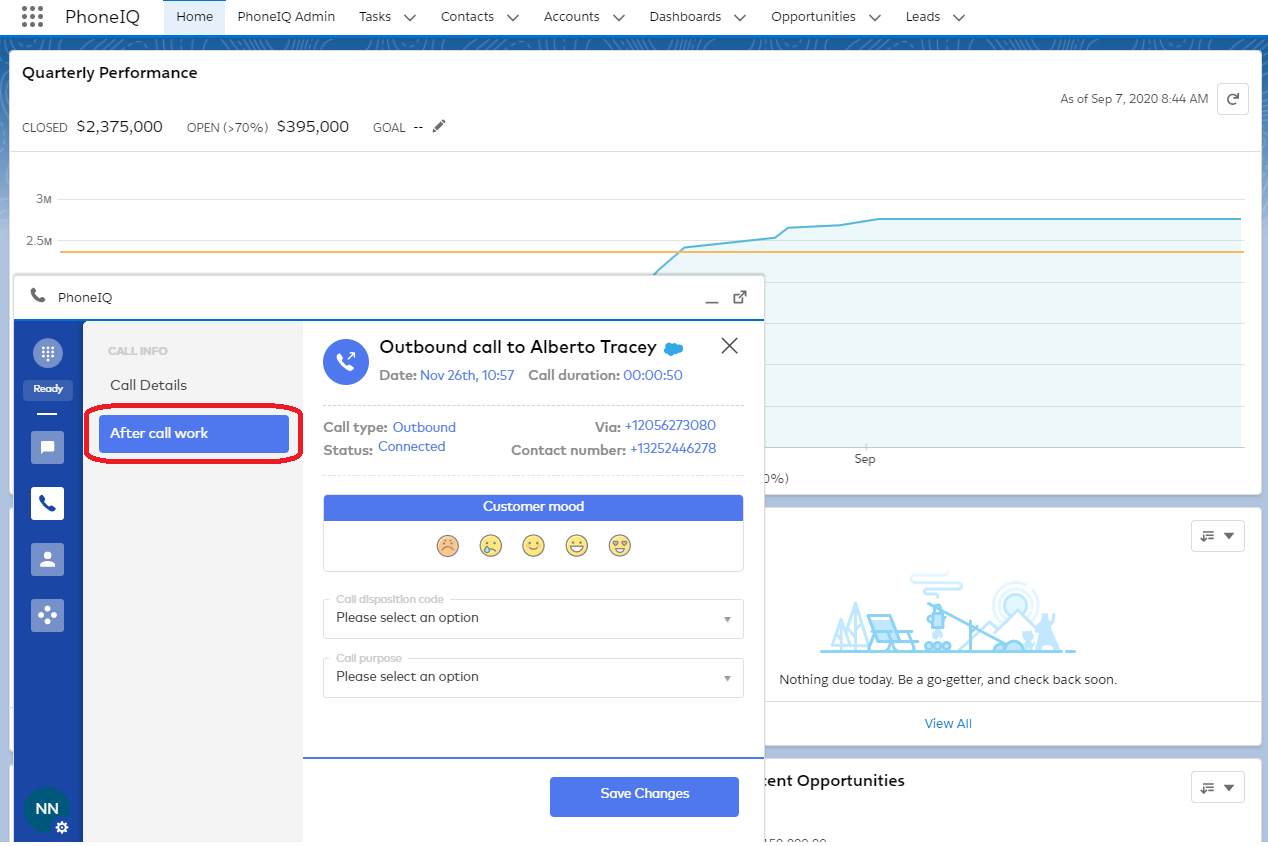
You can also review the After Call Work details: