PhoneIQ Dashboards - Salesforce Reports
Our Salesforce integration comes with a set of pre-built dashboards and reports that you can use or copy to meet your reporting goals.
Updated on April 6, 2022
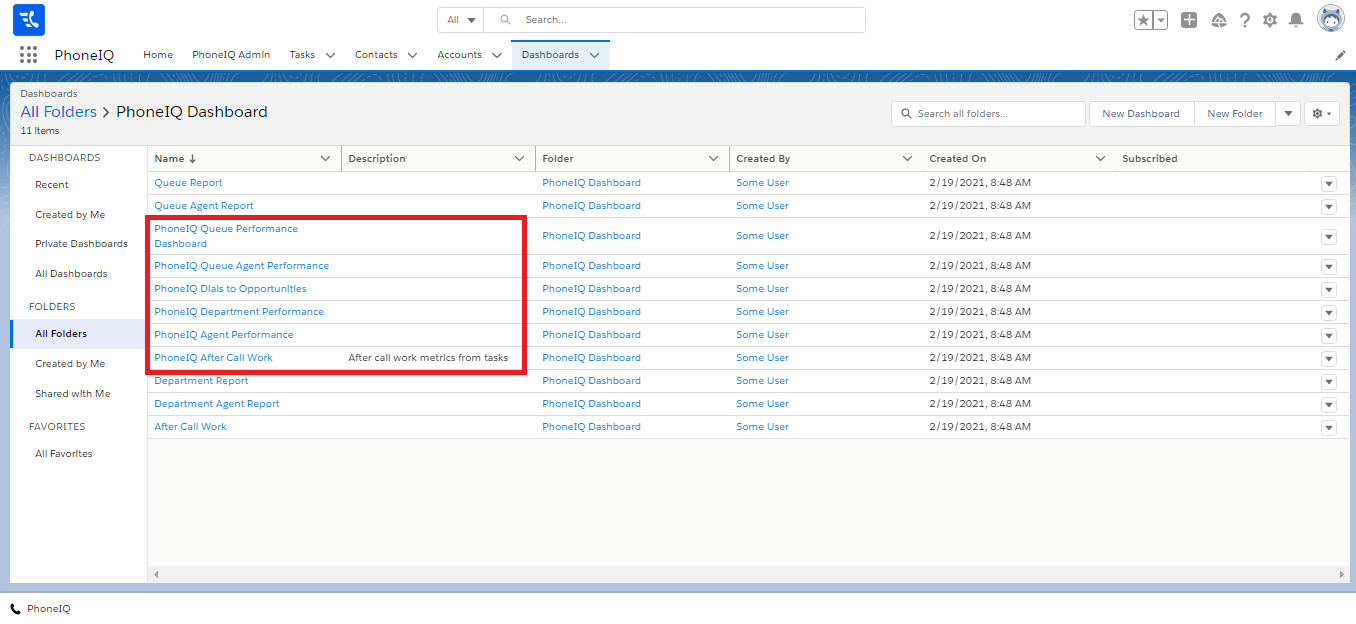
PhoneIQ Dashboards give you instant access to reports of inbound and outbound calls, with the ability to filter user, department, or queue. There are six types of dashboards:
- Agent Performance
- Department Performance
- Queue Agent Performance
- Queue Performance
- Dials to Opportunities
- After Call Work
In each of these reports, you can filter by date with one of the pre-defined values or add your own custom filters.
Access the PhoneIQ Dashboards in Salesforce:
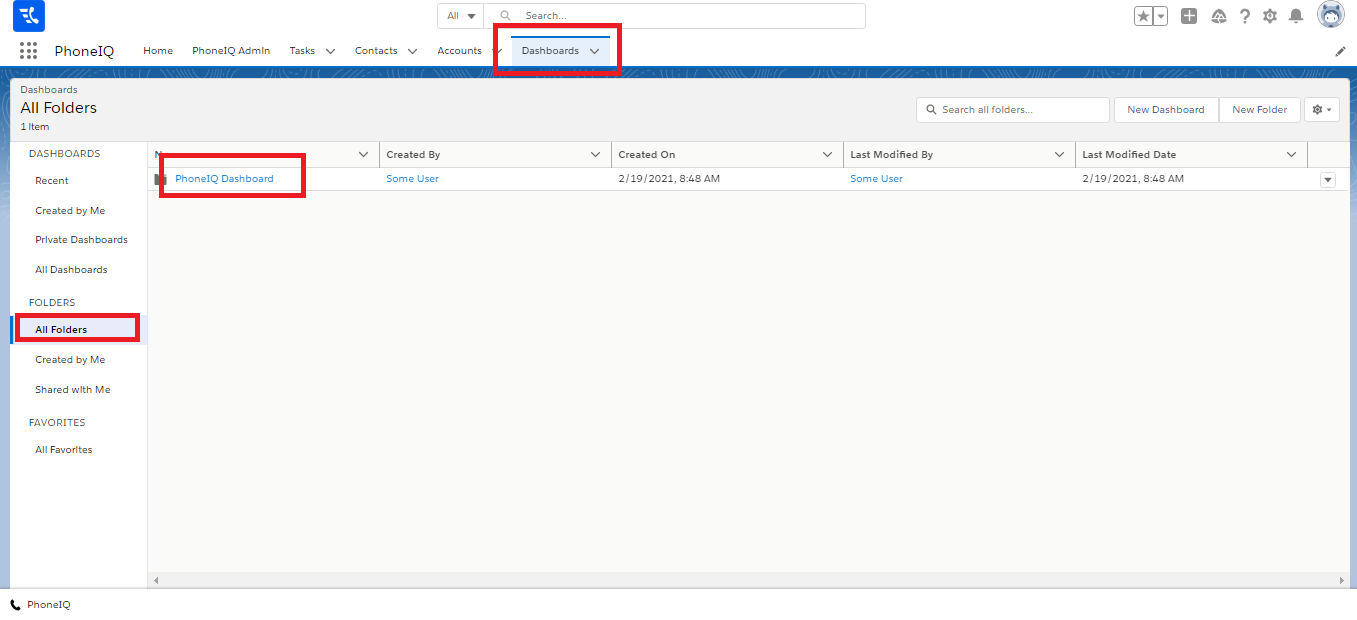
Step 1: Go to the PhoneIQ Lightning App (or any app with the dashboard tab), and enter the Dashboard view.
Step 2: Click on the 'All folders' option.
Step 3: Search the 'PhoneIQ Dashboard' folder, and click on it.
Step 4: Select the desired dashboard. Note that you have many dashboards to select from; however, the ones mentioned in this guide start with 'PhoneIQ.' The rest are legacy reports that will not contain data derived from the logged tasks.